TheAI
Data VisualizationDashboard

Helping forest carbon teams move from fragmented datasets to analysis-ready decisions.

ROLE
UX Design Intern
TEAM (4)
Product Manager
Product Designer
Engineer
Founder
TIMELINE
01/2026-05/2026
TOOL
Overview
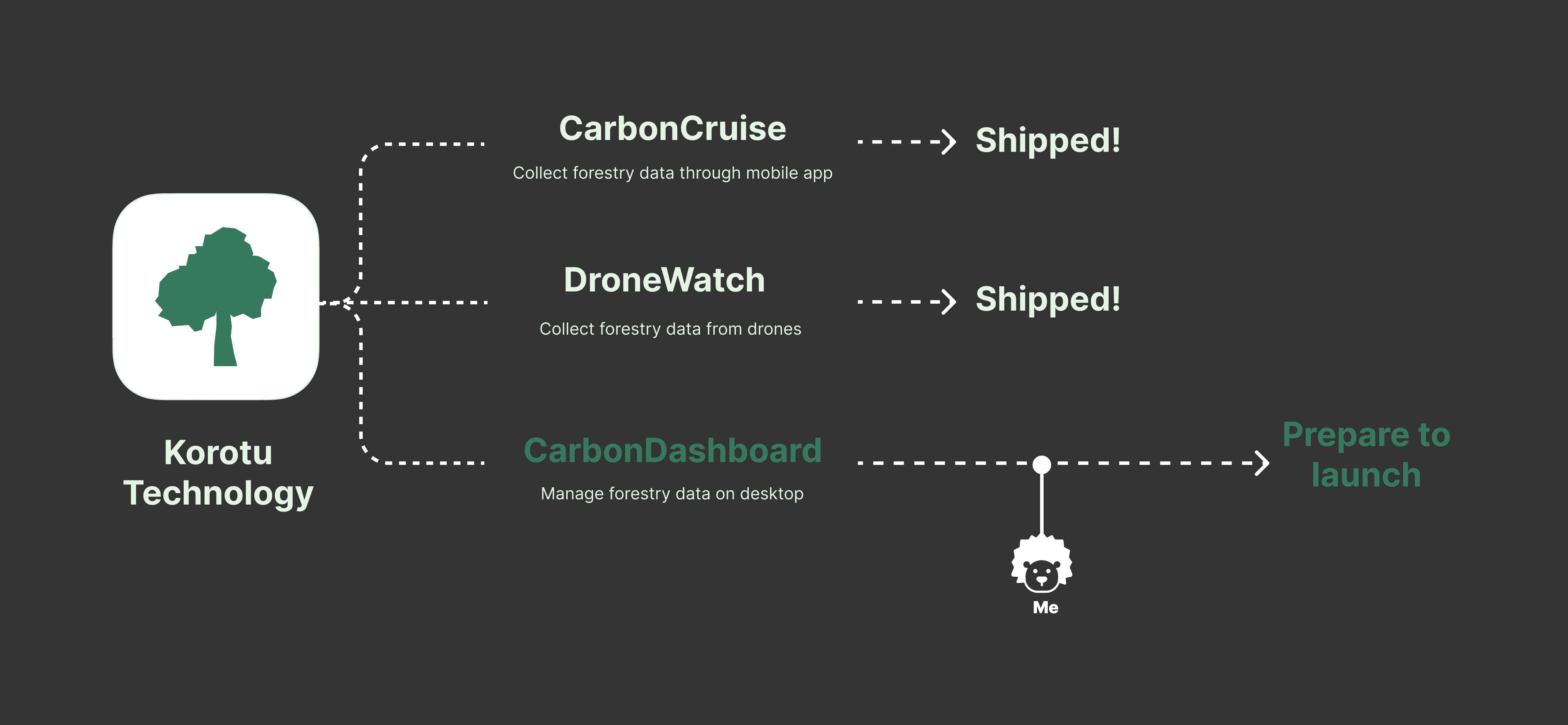
Korotu Technology builds tools for forest carbon monitoring. CarbonDashboard is its centralized data platform, helping teams manage field, satellite, and LiDAR-based environmental data in one place.

Instead of simply displaying more datasets, the product needed to help users understand what data existed, what could be trusted, and what was ready for analysis. I helped shape the beta experience around clearer dataset organization, validation workflows, and multi-source comparison.

Instead of simply displaying more datasets, the product needed to help users understand what data existed, what could be trusted, and what was ready for analysis. I helped shape the beta experience around clearer dataset organization, validation workflows, and multi-source comparison.

Problem
Having forest carbon data is not the same as knowing whether it is ready to use

Forest carbon teams rely on field measurements, satellite layers, and LiDAR data to monitor carbon projects and support reporting or verification work. But these sources often come with different dates, coverage areas, resolutions, and levels of reliability. Users needed a clearer way to understand what data was available, what was missing, and what could be trusted before analysis.

Forest carbon teams rely on field measurements, satellite layers, and LiDAR data to monitor carbon projects and support reporting or verification work. But these sources often come with different dates, coverage areas, resolutions, and levels of reliability. Users needed a clearer way to understand what data was available, what was missing, and what could be trusted before analysis.

Findings

Findings

The problem is not whether carbon data exists. It is knowing whether the data is ready to use.

The problem is not whether carbon data exists. It is knowing whether the data is ready to use.

Even when field, satellite, and LiDAR data are available, teams still need to understand completeness, reliability, and source differences before analysis.

Data Sources

Data Sources

Teams Need

Teams Need

Field measurements

Field measurements

Dataset readiness

Dataset readiness

Satellite layers

Satellite layers

Validation confidence

Validation confidence

LiDAR / drone data

LiDAR / drone data

Source comparison

Source comparison

Reframing Goal

The goal was not to show more carbon data.
It was to help teams decide what data was ready to use.

The goal was not to show more carbon data.
It was to help teams decide what data was ready to use.

Solution
From Pain Points to Prototypes

After clarifying the product goal, I mapped the core workflow gaps into three prototype directions

After clarifying the product goal, I mapped the core workflow gaps into three prototype directions

01

Painpoint

Painpoint

How to help teams understand what data exists?

How to help teams understand what data exists?

The data workflow was fragmented.
Teams needed a clearer way to move from uploaded datasets to review, validation, and analysis

The data workflow was fragmented.
Teams needed a clearer way to move from uploaded datasets to review, validation, and analysis

01

Solution

Solution

Multi-Layer Validation System

Multi-Layer Validation System

A connected workflow for reviewing uploaded GeoJSON datasets through maps, charts, box plots, and editable outlier states.

A connected workflow for reviewing uploaded GeoJSON datasets through maps, charts, box plots, and editable outlier states.

02

Painpoint

Painpoint

How to help teams trust the data before analysis?

How to help teams trust the data before analysis?

Dataset status was hard to understand.
Users needed to know what data was already in the system, what was missing, and which dates, types, or spatial areas were covered.

Dataset status was hard to understand.
Users needed to know what data was already in the system, what was missing, and which dates, types, or spatial areas were covered.

02

Solution

Solution

Data Inventory

Data Inventory

A readiness view that shows dataset status, source type, coverage, completeness, and validation readiness in one place.

A readiness view that shows dataset status, source type, coverage, completeness, and validation readiness in one place.

03

Painpoint

Painpoint

How to help teams compare sources without overloading the map?

How to help teams compare sources without overloading the map?

Source comparison could become too complex.
Field, satellite, and LiDAR data needed to be compared without making the map visually or technically overloaded.

Source comparison could become too complex.
Field, satellite, and LiDAR data needed to be compared without making the map visually or technically overloaded.

03

Solution

Solution

Layer Importing & Merge Workflow

Layer Importing & Merge Workflow

A structured flow for importing, reviewing, and merging data layers while preserving deeper comparison for chart-based analysis.

A structured flow for importing, reviewing, and merging data layers while preserving deeper comparison for chart-based analysis.

Design Detail

Three refinements. One goal — make complex data workflows clearer, safer, and more buildable.

Through regular review workshops with developers, stakeholders, and geospatial experts, I refined three key moments: simplifying layer comparison, making outlier edits reversible, and separating data importing from inventory review.

Iteration 01

Reducing Map Complexity Without Losing Comparison

Reducing Map Complexity Without Losing Comparison

What we had

The raster comparison map looked powerful, but color differences alone did not clearly help users understand consistency between layers.

What I changed

I simplified the map around layer selection and spatial context, while preserving deeper sensor comparison through bar charts later in the flow.

Iteration 02

Making Outlier Editing Safe Before It Becomes Permanent

Making Outlier Editing Safe Before It Becomes Permanent

What we had

Deleting scientific data felt too immediate. Users needed more confidence before applying changes to environmental measurements.

What I changed

I introduced a staged editing flow where outliers are marked first, reviewed with context, and confirmed later.

Iteration 03

Separating Data Inventory From Layer Importing

Separating Data Inventory From Layer Importing

What we had

Importing layers and inspecting dataset metadata were mixed into one flow, making it harder to understand what data was available and what still needed attention.

What I changed

I separated importing from inventory review. Users first bring data into the project, then use Data Inventory to inspect source, resolution, reliability, and project usage.

DELIVERY & DESIGN SPECS

Turning complex data workflows into buildable rules

After refining the core workflows, I translated the design into implementation-ready specs so engineers could understand not only what the interface looked like, but how it should behave across different data conditions.

Impact

The outcome was a clearer product workflow for helping teams understand what data was ready to trust, compare, and use.

The design helped the team move from scattered environmental data tasks into a clearer beta workflow: inventory, validation, and comparison. Instead of adding more visual complexity, the work focused on making data status, reliability, and next actions easier to understand.

Carbon teams did not just need more data on screen. They needed the interface to clarify what data was ready to trust, compare, and use.

80%

Clearer dataset status visibility

40%

Reduced ambiguity in cross-source validation

25%

Faster identification of layers requiring attention

© Selected Works こんにちは
(WDX® — 02)
UX Designer
© Selected Works こんにちは
UX Designer
© Selected Works こんにちは
UX Designer